
Introduction
Embeds have a specific structure that allows you to create rich content in your messages. They can include fields, images, and other elements that make your messages more visually appealing. You can use them in various parts of jar such as welcomers, leavers, autoresponders, and more.Too long to read?
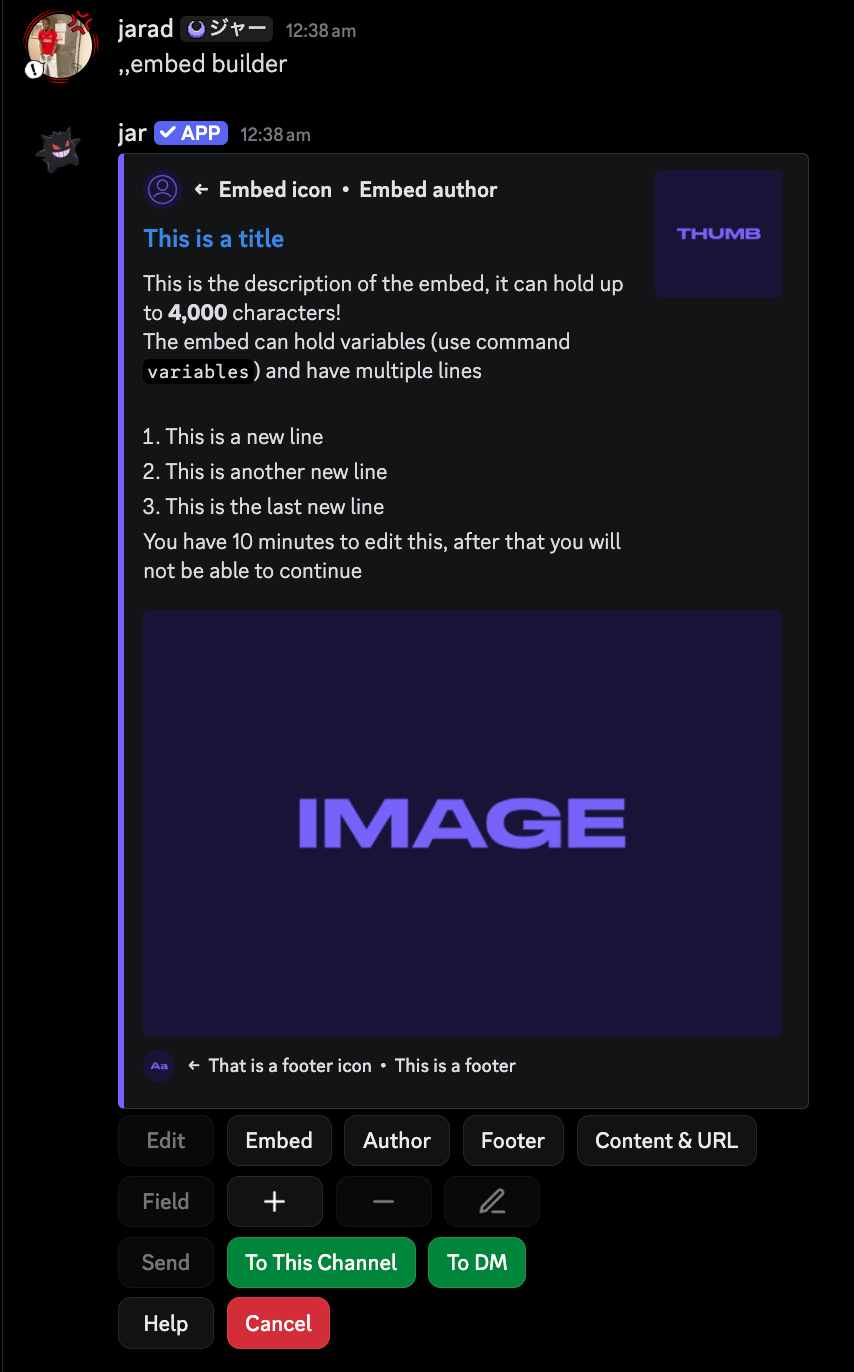
If you’re not interested in reading this entire page, you can use our native embed builder to create embeds without needing to understand the code structure. You can access the embed builder by running theembed builder command in any channel where jar has access.
Once you’re finished building your embed, you can send the code of the embed to the current
channel or to your DMs, where you can copy it and use it in your configurations.
Structure of an embed
An embed code is denoted by a key-value pair structure, where the key is the name of the embed field and the value is the content of that field. For example, the description parameter will look like this:{starts a parameter:separates the parameter name from its value&&is used to add multiple values to a parameter}ends the parameter$vsplits multiple parameters
Parameters available in embeds
Here are the following parameters you can use in embeds.Content
Content
The content of the embed.
This is the main text that will be displayed above your embed.
Title
Title
The title of the embed.
URL
URL
The URL of the embed.
Description
Description
The description of the embed.
Color
Color
The color of the embed in a hex format.
Image
Image
The image of the embed.
Thumbnail
Thumbnail
The thumbnail of the embed.
Timestamp
Timestamp
The embed timestamp.
This will display the time the message was created.
&&.
Field
Field
The fields of the embed.
name: The name of the field.value: The value of the field.inline: Whether the field is inline. (Optional)
Using variables in embeds
You can use variables in embeds to dynamically change the content of the embed. Variables are denoted by{variable_name}.
For example, you can use {user.mention} to mention the user who triggered the embed.
Here are some common variables you can use in embeds:
{user.mention}: Mentions the user.{user.name}: The username of the user.{server.name}: The name of the server.{server.icon}: The icon of the server.{server.member_count}: The number of members in the server.
Where to get embeds
If you’re lazy like me, you can get embeds from the support server - in the#embeds channel. You can also submit your own embeds to the channel for others to use.
If you’re really lazy, jar has a similar embed code structure to other bots, so you can copy and paste embeds from them.