Introduction
Fake permissions allow you to grant users or roles temporary access to jar commands, without needing to modify their actual permissions in the server. This is useful for giving users access to commands they normally wouldn’t have, such as moderation commands, without making them moderators. For example, if you give a role theKick Members fake permission,
users with that role will be able to use the kick command through jar,
even if they don’t have the Kick Members permission in Discord.
Recommended permissions
Here are some recommended permissions to consider when granting fake permissions:- Moderator
- Administrator
- Co-Owner
Manage Messages: Allows the user/role to delete messages.Timeout Members: Allows the user/role to mute (timeout) members.Manage Nicknames: Allows the user/role to change nicknames of members.Kick Members: Allows the user/role to kick members from the server.
Adding a fake permission
To add a fake permission, you’ll need to run the following command: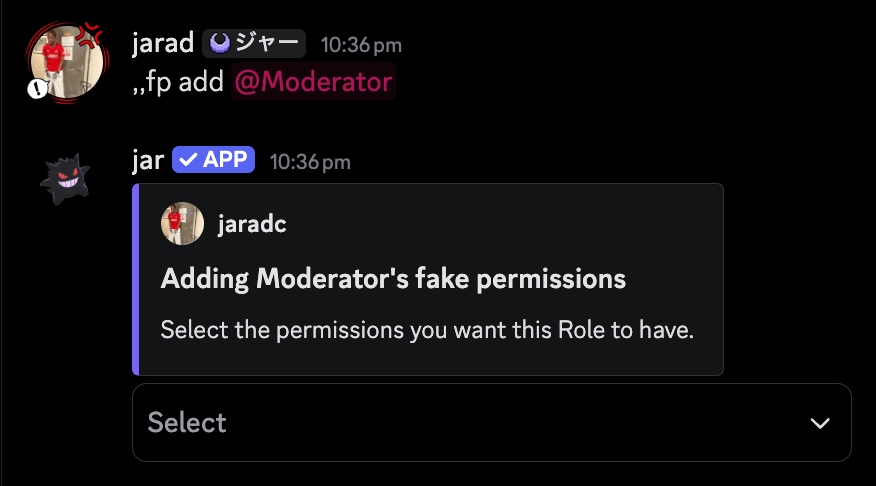
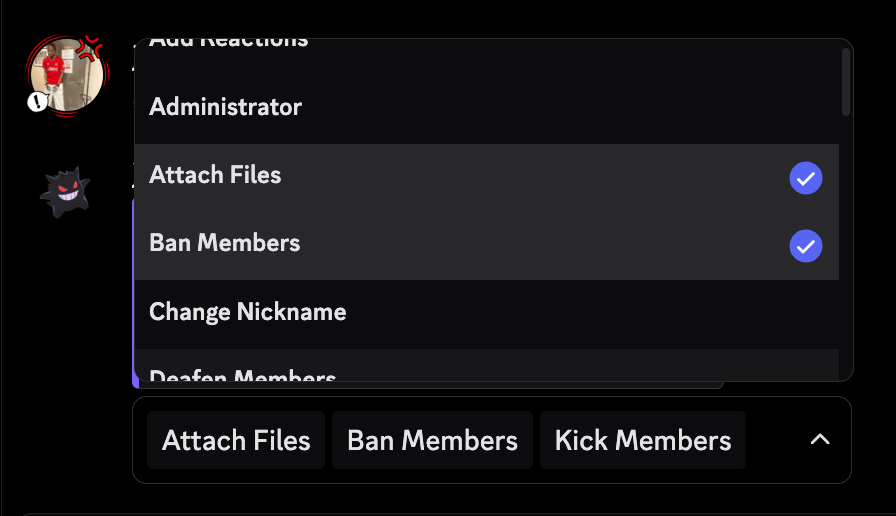
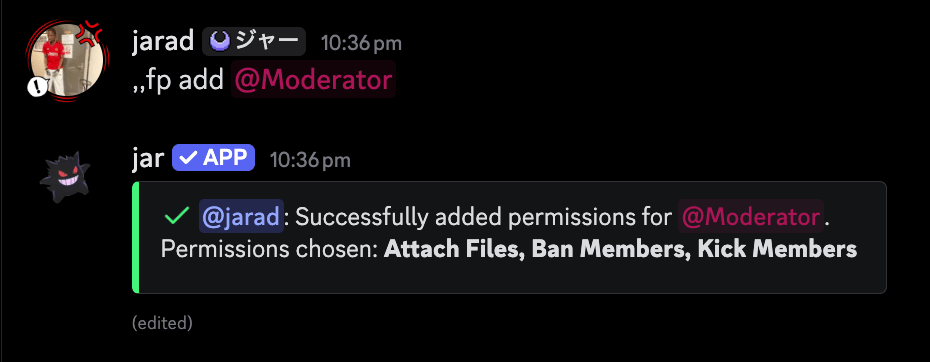
Editing a fake permission
To edit a fake permission, you’ll need to run the following command: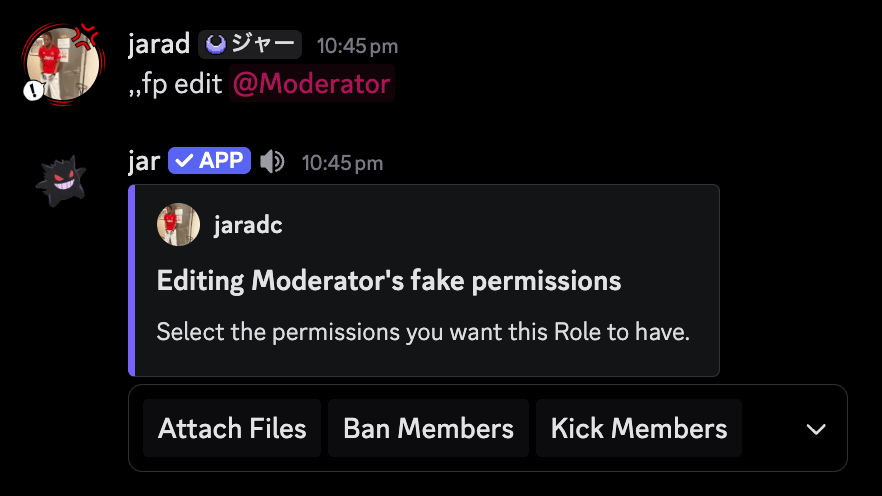
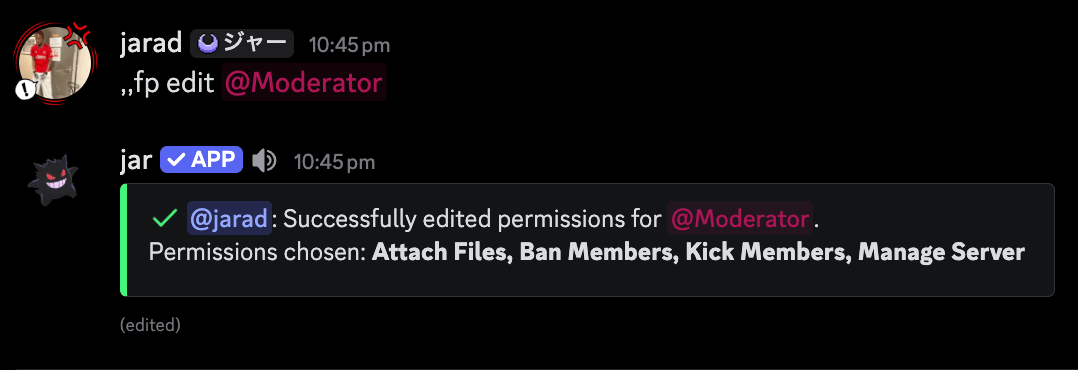
Removing a fake permission
To remove a fake permission, you’ll need to run the following command: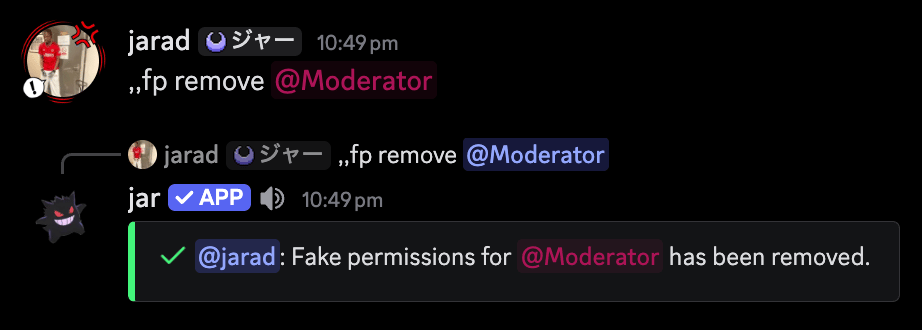
Removing all fake permissions
To remove all fake permissions for the server, you can use the following command: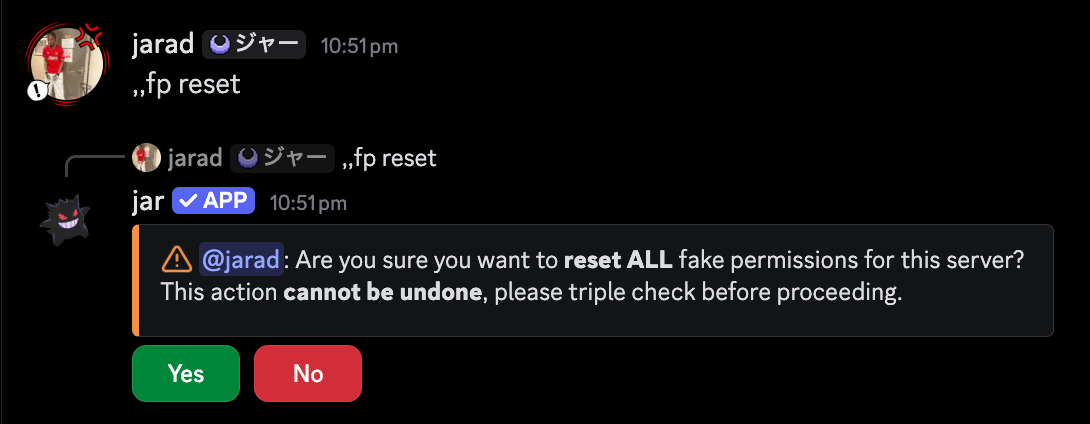
Viewing all fake permissions
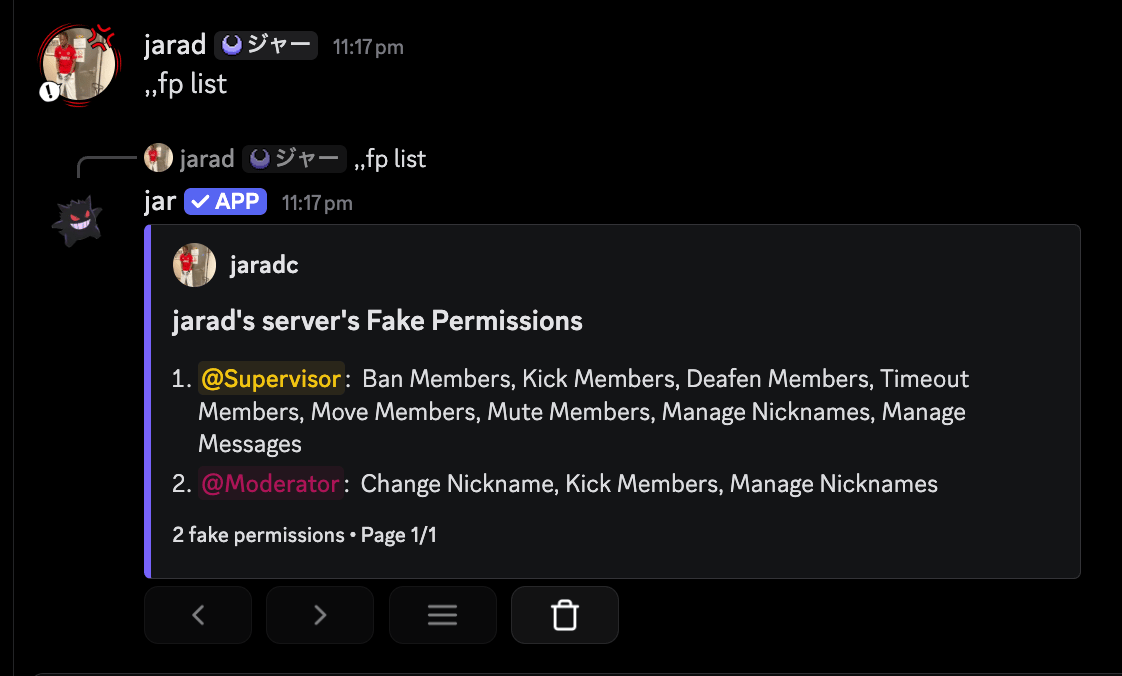
To view all fake permissions in the server, you can use the following command: